
Oracle Cloud Infrastructure (OCI) Always-Free Tier: What You Actually Get and How to Set Up Your First VM

Oracle Cloud Infrastructure’s Always Free tier is genuinely one of the most overlooked deals in cloud computing, and it includes real compute you can run indefinitely, not just a 12-month trial. It’s also changed recently in a way worth knowing about before you sign up, so here’s what you actually get today and how to stand up your first VM.
What’s actually in the Always Free tier
Two separate compute allocations, and they work differently:
- AMD-based VM.Standard.E2.1.Micro: up to 2 instances, each with 1/8 OCPU and 1 GB RAM. Small, but genuinely enough to run a lightweight web server, a small database, or a personal project server around the clock, forever, at zero cost. This allocation has not changed.
- ARM-based Ampere A1: Oracle’s Always Free Resources page now gives every tenancy the first 1,500 OCPU hours and 9,000 GB hours per month, which it describes as 2 OCPUs and 12 GB of memory for Always Free tenancies. Older guides on the internet still say 4 OCPU and 24 GB, so check the page before you plan around those numbers. You can split it across up to 4 instances.
Alongside compute: 200 GB total block storage, 10 GB object storage, a small Autonomous Database allocation, and an always-free load balancer, all genuinely free with no time limit, not just for a trial period. Always confirm current limits directly on Oracle’s own Always Free Resources page before planning around specific numbers, since this is exactly the kind of thing that gets revised.
AMD E2.1.Micro vs. ARM Ampere A1: which to pick
For most small personal/test workloads, the ARM Ampere allocation is the better choice even after the reduction. 2 OCPU and 12 GB RAM (even split as one bigger instance) meaningfully outperforms two 1/8-OCPU, 1 GB AMD instances for anything beyond a very light static workload. The tradeoff: ARM means some software needs an ARM-compatible build, which is a non-issue for most modern Linux distros and containerized workloads, but worth checking for anything with a niche or legacy dependency.
Setting up your first VM, step by step
- Sign up at cloud.oracle.com. A credit card is required for identity verification even for the free tier, but you won’t be charged unless you explicitly move to paid resources.
- From the console, go to Compute → Instances → Create Instance.
- Under Image and Shape, choose your OS image (Ubuntu and Oracle Linux are both common choices with good default support) and select either the
VM.Standard.E2.1.Microshape or anVM.Standard.A1.Flex(Ampere) shape sized within your current free allocation. - Under Networking, let it create a new VCN (Virtual Cloud Network) if this is your first instance. The defaults are reasonable for a first deployment.
- Under Add SSH Keys, upload your public key (or generate a new pair and download the private key immediately, since it’s shown only once).
- Create the instance, then note its public IP address once it’s running.
- Connect:
ssh -i /path/to/your/key [email protected](the default username depends on the image:ubuntufor Ubuntu images,opcfor Oracle Linux).
The one thing that trips up almost everyone the first time: the firewall
A fresh OCI instance is unreachable on any port other than SSH by default, and unlike some other clouds, there are two layers to open, not one:
# 1. OCI's own Security List / Network Security Group (done in the console):
#    Networking > Virtual Cloud Networks > your VCN > Security Lists >
#    add an Ingress Rule for the port you need (e.g. TCP 80/443)

# 2. The instance's own OS-level firewall:
sudo iptables -I INPUT 6 -m state --state NEW -p tcp --dport 80 -j ACCEPT   # Oracle Linux (iptables-based)
sudo ufw allow 80/tcp                                                        # Ubuntu (if ufw is active)
Forgetting the OS-level rule after opening the cloud-level one (or vice versa) is the most common reason a freshly-deployed web server “isn’t reachable,” since both need to allow the port, not just one.
What a real Always Free VM looks like
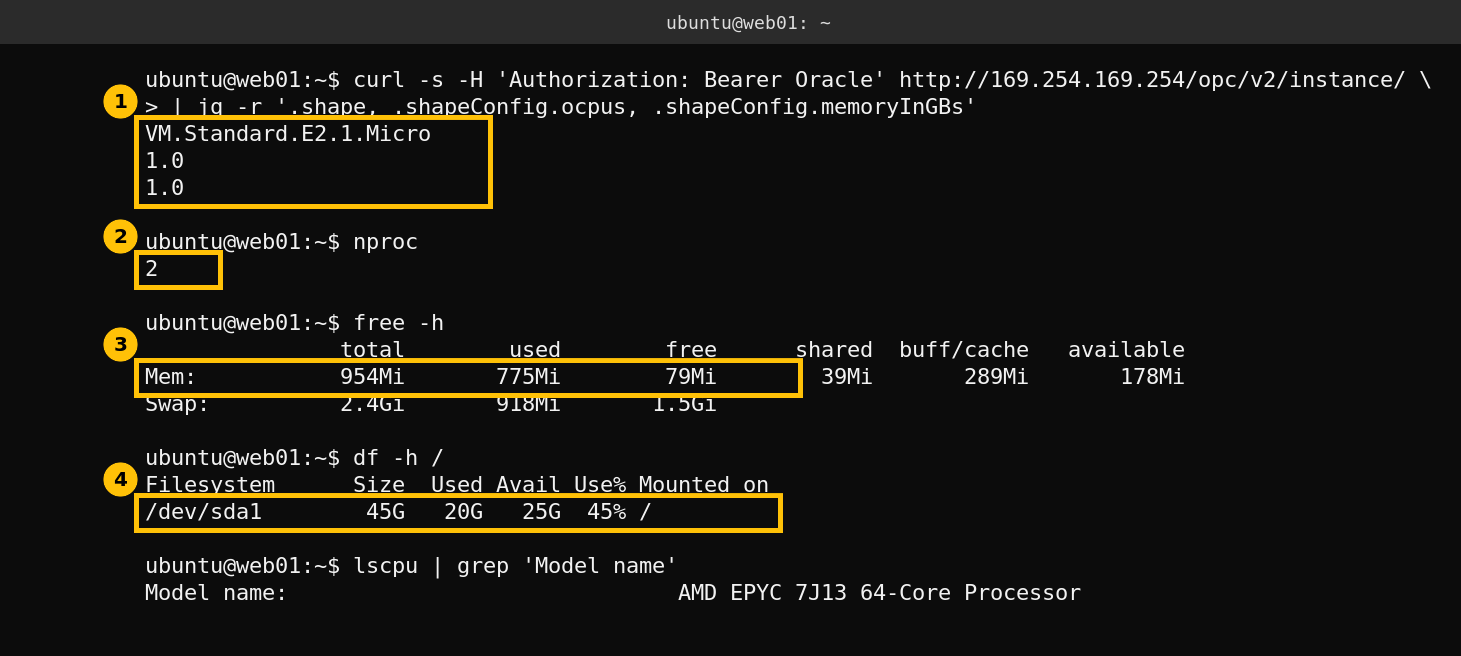
This site runs on one of these AMD Micro instances, so here is the real thing, captured on November 20, 2026. The first command asks the OCI instance metadata service for the shape. The others are plain Linux.
ubuntu@web01:~$ curl -s -H 'Authorization: Bearer Oracle' http://169.254.169.254/opc/v2/instance/ \
> | jq -r '.shape, .shapeConfig.ocpus, .shapeConfig.memoryInGBs'
VM.Standard.E2.1.Micro
1.0
1.0

ubuntu@web01:~$ nproc
2

ubuntu@web01:~$ free -h
               total        used        free      shared  buff/cache   available
Mem:           954Mi       775Mi        79Mi        39Mi       289Mi       178Mi
Swap:          2.4Gi       918Mi       1.5Gi

ubuntu@web01:~$ df -h /
Filesystem      Size  Used Avail Use% Mounted on
/dev/sda1        45G   20G   25G  45% /

ubuntu@web01:~$ lscpu | grep 'Model name'
Model name:                              AMD EPYC 7J13 64-Core Processor
A few things here surprised people I showed it to. The metadata says 1.0 OCPU and nproc says 2 CPUs, but Oracle’s page describes the Micro shape as 1/8 of an OCPU with the ability to use more when it is free. In practice that means short bursts are fast and long CPU heavy jobs get throttled. Memory is the real limit: free shows 954 MiB total, and with nginx, PHP-FPM, MySQL and Redis running there is less than 200 MiB available. I run a 2 GB swap file, and I wrote up the tuning in Ubuntu on 1 GB RAM: zram, swap tuning and OOM protection. The boot volume here is 45 GB out of the 200 GB block storage allowance.
One more real lesson: Always Free compute has to be created in your home region, and Ampere A1 capacity there is often gone. My tenancy is in UK London, and an automated retry against all availability domains has been getting Out of host capacity for weeks. If A1 is your plan, pick your home region with that in mind when you sign up, because you cannot change it later.
Frequently asked questions
Is the Always Free tier actually free forever, or does it convert to paid after a trial period?
It’s genuinely ongoing, separate from the $300, 30-day free trial credit Oracle also offers new accounts. The Always Free resources remain free indefinitely as long as you stay within the current limits, the trial credit is a separate, time-limited bonus on top.
Can I run a real production workload on the free tier?
For something genuinely small (a personal blog, a side project, a learning environment, a lightweight monitoring endpoint) it’s more than capable, and precisely the kind of setup this is well suited for. For anything with meaningful traffic or availability requirements, treat it as a starting point to prototype on rather than your final production sizing.