WordPress 7.1.3 Fixes 7 Security Flaws Including a Second Order SQL Injection in Export: Check Your Version, 7.1.2 Is Now Marked Insecure

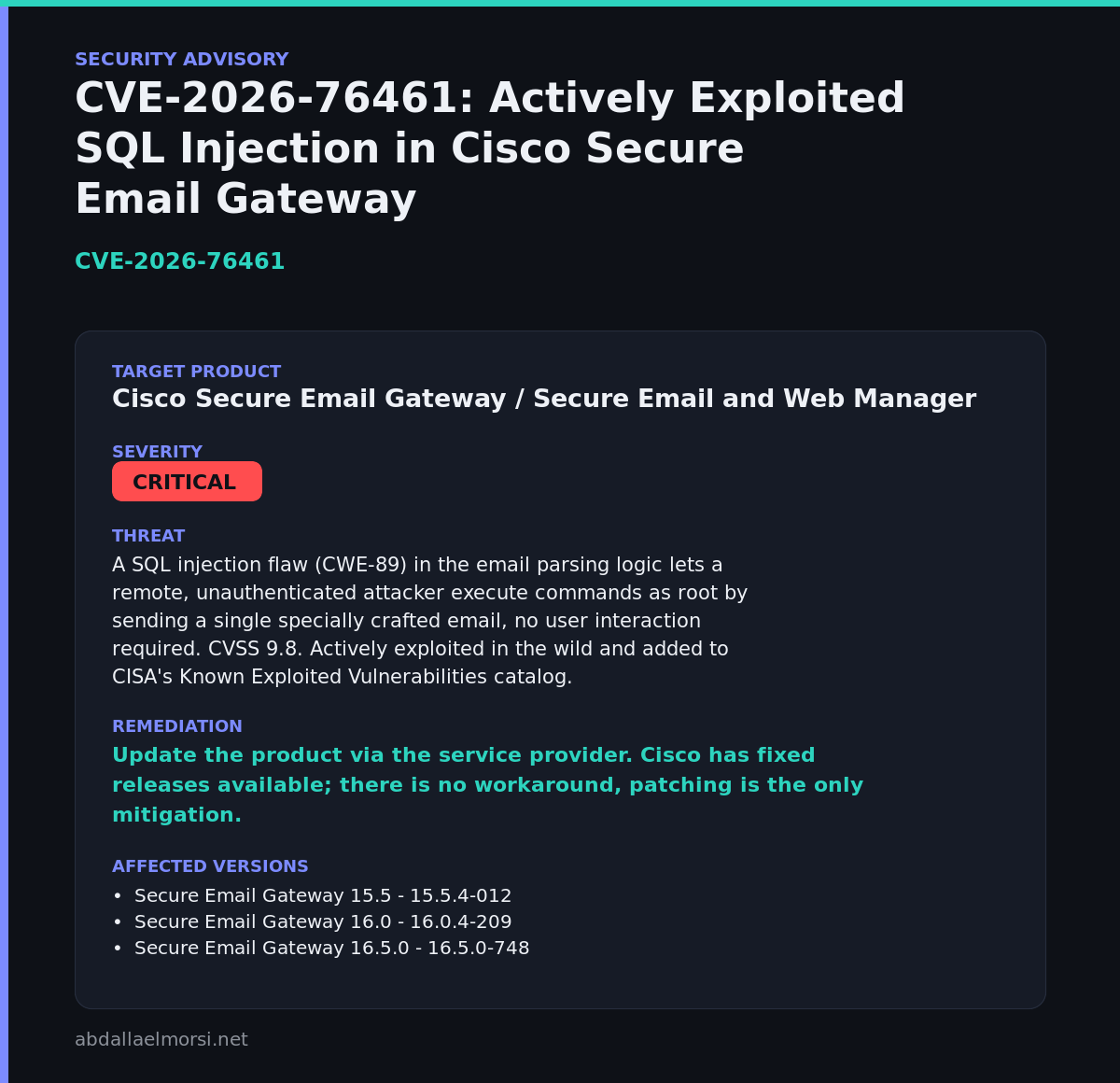
WordPress 7.1.3 came out on October 6, 2026 as a security and maintenance release with 7 security fixes and 4 bug fixes. The announcement lists a second order SQL injection in the export feature, an unauthenticated leak of comments on private posts, and two cross site scripting bugs. WordPress’s own version check now marks 7.1.1 and 7.1.2 as insecure.
Most sites update on their own within a day. This post shows how to confirm yours did, how to read WordPress’s own verdict on your version, and what each of the seven fixes is, using the wording of the announcement. My site is on 7.1.3, and I show the commands that prove it.
Quick guide
- Read your version from
wp-includes/version.phpor from the Dashboard under Updates. - Ask WordPress what it thinks of that version with the stable check below.
- If it is not 7.1.3, take a backup and update now.
- If you run an older branch, look for its backport release in the same announcement.
The seven fixes
| # | Fix as the announcement words it | Reported by |
|---|---|---|
| 1 | Stored XSS on the Comments administration page, exploitable via pending comments | Trail of Bits in collaboration with OpenAI |
| 2 | A DoS issue in the WP_Http::make_absolute_url() method | Anthropic |
| 3 | A second order SQL injection in WordPress WXR export | Anthropic |
| 4 | A weakness allowing Author role users to sticky posts | Anthropic |
| 5 | Unauthenticated disclosure of comments on private and unpublished posts | Ananda Dhakal from Patchstack |
| 6 | Imgur embeds are vulnerable to XSS | Zhengyu Liu, Jingcheng Yang and Gavin Zhong |
| 7 | Forgeable parameters passed to the {status}_{type} hook can lead to action name collision | Alex Concha of the WordPress security team |
The list is from the WordPress 7.1.3 announcement. The announcement did not give CVE numbers or scores, so I am not quoting any. I did not test any of the seven bugs, and I cannot tell you from this which one is the most dangerous for your site. As a rule of thumb, the SQL injection and the comment disclosure matter most when you accept comments or let several people export content.
Step 1: what version am I on
Type these commands. The first prints the version your files contain. The second shows when that file last changed, which tells you roughly when the update was applied. The third asks the WordPress API how it rates 7.1.1, 7.1.2 and 7.1.3:
grep "wp_version =" /var/www/abdallaelmorsi.net/wp-includes/version.phpls -l --time-style=long-iso /var/www/abdallaelmorsi.net/wp-includes/version.phpcurl -s https://api.wordpress.org/core/stable-check/1.0/ | grep -E '"7\.1\.[123]"'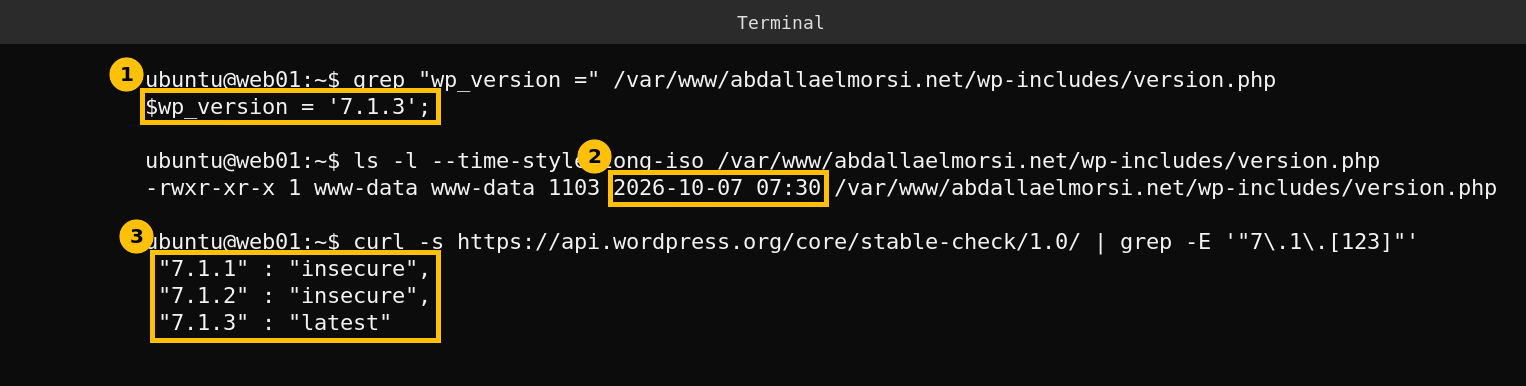
My site reports 7.1.3, and the file changed on October 7 at 07:30, the day after the release, which fits an automatic background update. The stable check calls 7.1.1 and 7.1.2 insecure and 7.1.3 latest. Change the path in the first two commands to your own WordPress folder. The check URL is the public WordPress stable check endpoint and it returns a long JSON list, so the grep keeps only the three lines that matter.
Step 2: if you are behind
- Back up first: take a database dump and a copy of
wp-content. - Update from the Dashboard: go to Dashboard, then Updates, then Update Now.
- Check background updates: if your site did not update by itself, look for
AUTOMATIC_UPDATER_DISABLEDorWP_AUTO_UPDATE_COREinwp-config.php, or a host that pins the version. - Older branches: the announcement says security fixes are backported to branches that are eligible, currently through 4.7, and that backports ship as they are ready. Check the announcement for the release that matches your branch.
Core is only one layer. On October 22 I covered the PHP side in my post on PHP 8.4.27, and plugins and themes need their own updates.
Caveats
I checked one site. The seven descriptions are the announcement’s wording and I did not verify exploitability. Whether an automatic update ran for you depends on your host and settings, so check yours with the commands above instead of assuming.
FAQ
Which WordPress version fixes these flaws?
WordPress 7.1.3, released October 6, 2026. The announcement says it contains 7 security fixes and 4 bug fixes.
Is 7.1.2 still safe?
WordPress’s own stable check rated 7.1.2 as insecure when I ran it, and 7.1.3 as the latest version.
Will my site update itself?
The announcement says sites that support automatic background updates will start the update automatically. Confirm with the version check, because hosts and settings can block it.
Do I need to update if I am on an older branch like 6.9?
The announcement says fixes are backported to eligible branches, currently through 4.7, as they are ready. Look for your branch’s release and update to it.
Do these fixes have CVE numbers?
The announcement does not list any, so I have not quoted any.