Redis RESTORE Flaw CVE-2026-66373 Allows Remote Code Execution, and Ubuntu 24.04 Has No Fix Yet: Block RESTORE With One ACL Rule

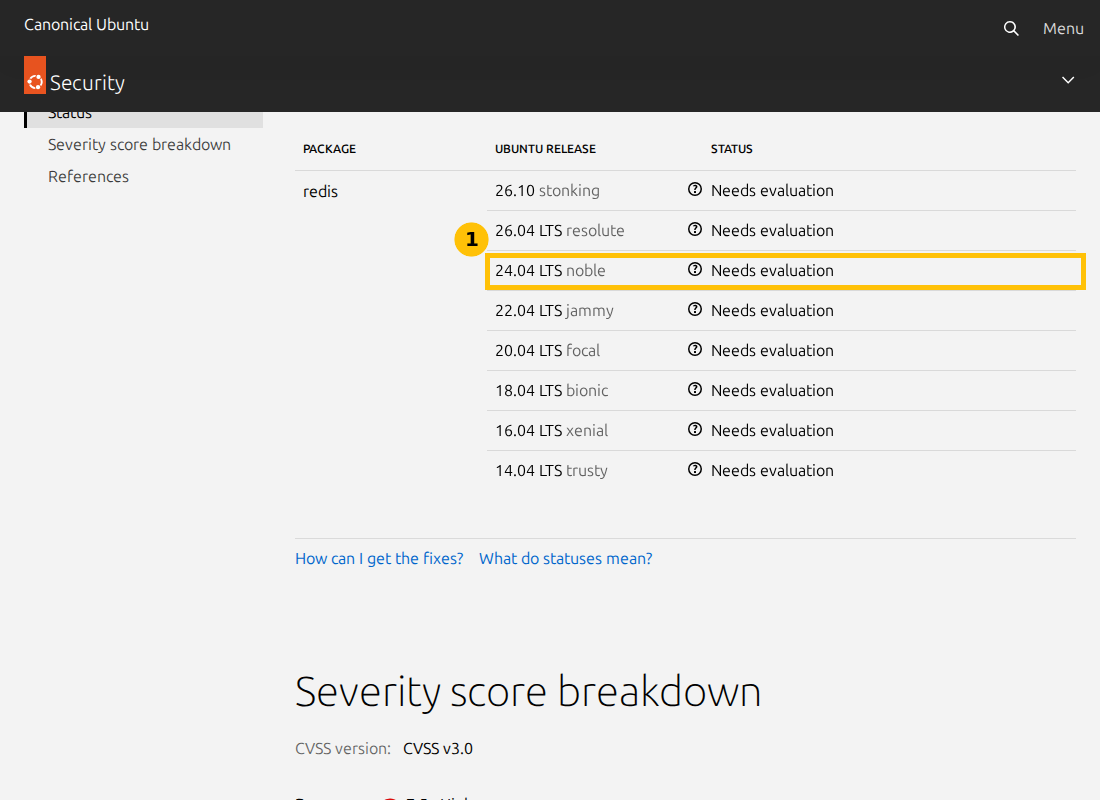
CVE-2026-66373 is a remote code execution flaw in Redis. Ubuntu’s tracker describes it as affecting Redis before 8.8.0 in the case where an authenticated attacker can run the RESTORE command, and rates it CVSS 7.5. The same page lists the status for every Ubuntu release, including 24.04 LTS, as Needs evaluation, with no fixed package. So apt upgrade will not close this one today.
The good news is that the bug needs a very specific permission, and Redis lets you remove that permission with one ACL command. This post shows how to check what you run, how to remove RESTORE from an account, and a real test of that rule on a throwaway Redis instance. I did not change my production Redis.
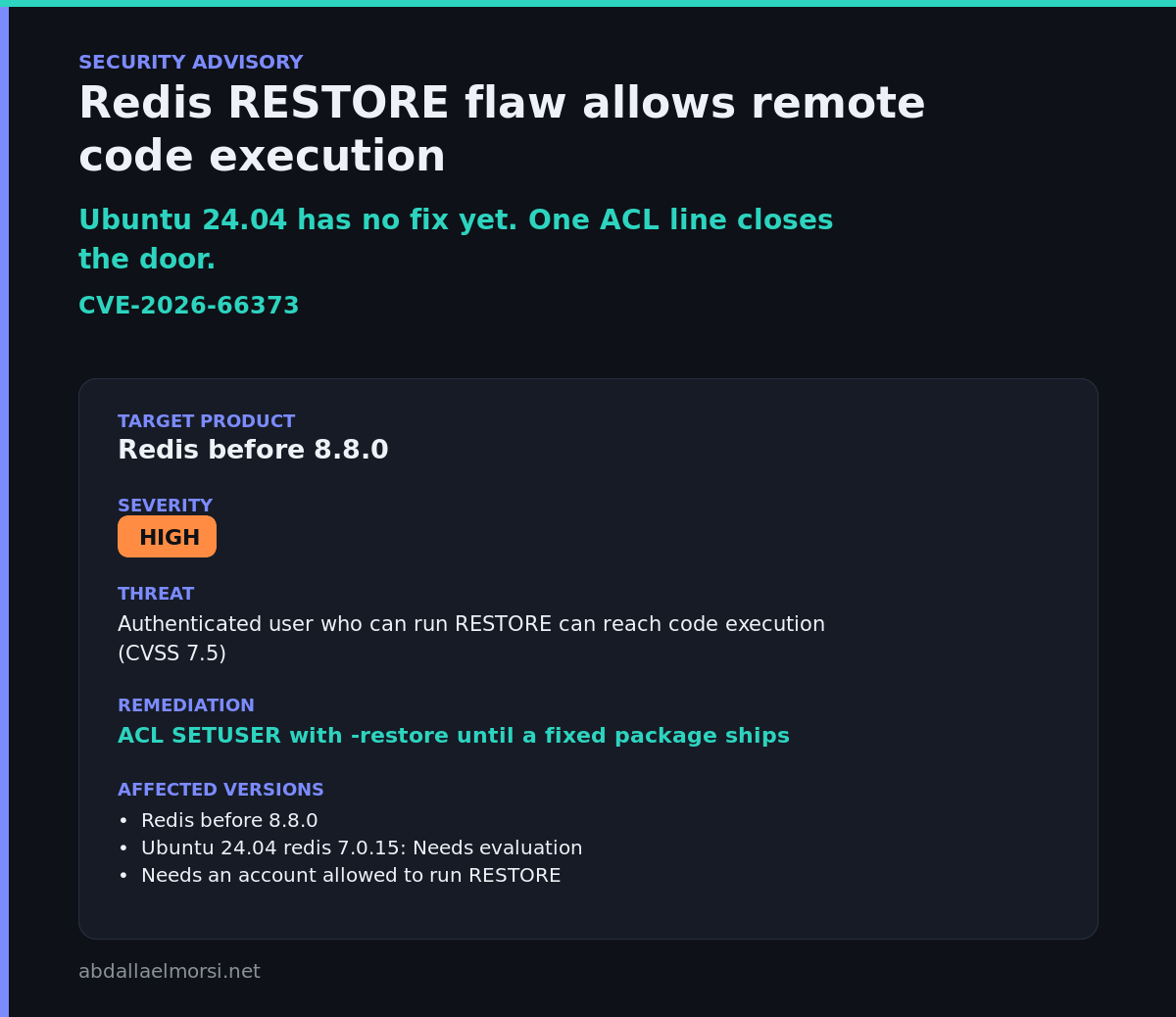
Quick guide
- Read your Redis version and the Ubuntu package state.
- Check the changelog for the CVE number to see if a fix has landed.
- Check who can reach Redis. Bound to localhost with a password is a small exposure.
- Remove RESTORE from every account that does not need it with
ACL SETUSER user -restore.
What the flaw needs
| Item | What the sources say | Source |
|---|---|---|
| Affected | Redis before 8.8.0 | Ubuntu tracker |
| Condition | An authenticated attacker who can execute RESTORE, which Ubuntu calls an unusual case | Ubuntu tracker |
| Bug type | A double free reached through XGROUP DELCONSUMER, from an incomplete fix for CVE-2026-25243 | Ubuntu tracker |
| Score | CVSS 7.5 High, vector AV:N/AC:H/PR:L/UI:N/S:U/C:H/I:H/A:H, Ubuntu priority Medium | Ubuntu tracker |
| Ubuntu 24.04 status | Needs evaluation, no fixed version listed | Ubuntu tracker |
An AlmaLinux advisory for Valkey, ALSA-2026:64807, lists this CVE number in the form “redis: Remote Code Execution via specially crafted RESTORE payload”. I saw that only as a search result summary and did not open the advisory. I did not read the upstream Redis advisory, so the details above are Ubuntu’s wording.
Step 1: what is my server running
Type these commands. They show the version, the Ubuntu package, the newest changelog entry, whether the CVE number appears in the changelog, and where Redis listens:
redis-server --versionapt-cache policy redis-server | head -3apt changelog redis-server 2>/dev/null | sed -n "2,4p"apt changelog redis-server 2>/dev/null | grep -c CVE-2026-66373ss -ltn | grep 6379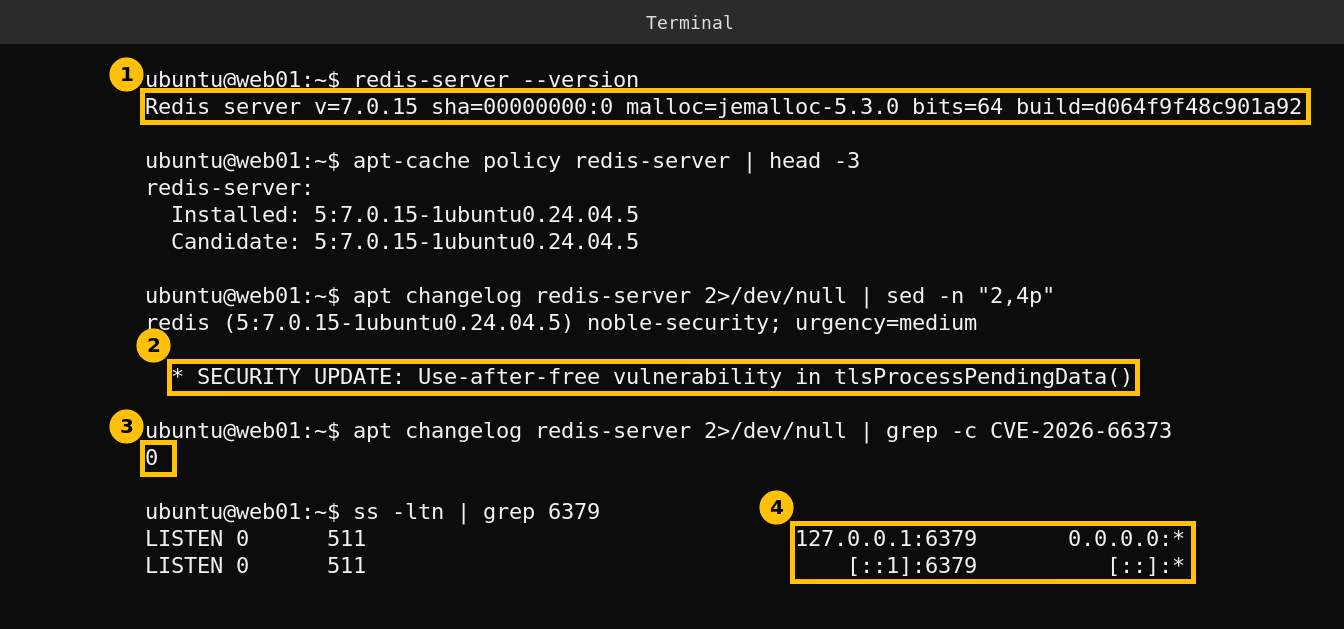
My server runs Redis 7.0.15 with the Ubuntu package 5:7.0.15-1ubuntu0.24.04.5, which is both installed and the candidate. The newest changelog entry is from October 1 and fixes two other Redis bugs, a use after free in TLS handling (CVE-2026-81934) and an out of bounds read in the cluster bus (CVE-2026-92925). The count for CVE-2026-66373 is 0, so the fix has not reached 24.04 yet. Redis listens on 127.0.0.1 and ::1 only, so nothing outside this machine can connect, and mine also requires a password.
Step 2: remove RESTORE with an ACL rule
Redis 6 and later lets you take a single command away from a user. I tested it on a separate Redis instance on port 6390 that saves nothing to disk, so my real Redis was never touched. The commands, in the order you would type them:
redis-server --port 6390 --save "" --appendonly no --daemonize yes --logfile /tmp/r6390.logredis-cli -p 6390 ACL SETUSER default -restoreredis-cli -p 6390 ACL GETUSER defaultredis-cli -p 6390 RESTORE demo 0 abcredis-cli -p 6390 SET demo 1redis-cli -p 6390 shutdown nosave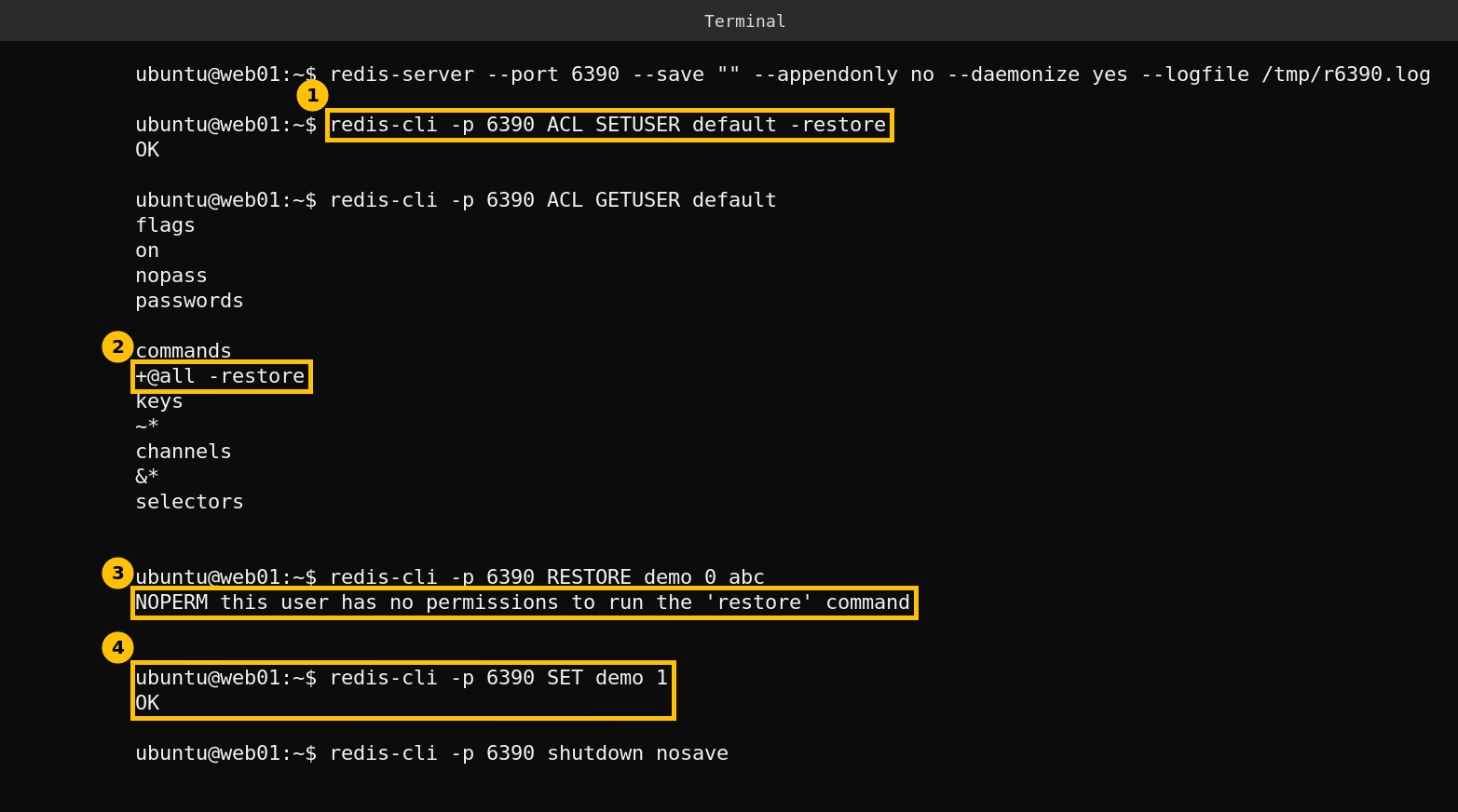
The rule returns OK, the account now reads +@all -restore, RESTORE is refused with NOPERM, and an ordinary SET still works. Replace default with the name of each real account, and add -a or set REDISCLI_AUTH if your server needs a password. The Redis ACL documentation covers how to make a rule permanent with an ACL file or ACL SAVE, because a rule set only at runtime is lost when Redis restarts.
Before you apply this to a real account, make sure your application does not use RESTORE. Most caches do not, since they only read and write keys, but backup and migration tools sometimes do. I did not apply the rule to my production Redis in this post.
If you are exposed beyond localhost
- Bind Redis to 127.0.0.1 or a private interface and firewall the port.
- Require a password and give each application its own ACL user with only the commands it needs.
- Watch the Ubuntu tracker for a fixed 24.04 package, or move to Redis 8.8.0 or later from the upstream project if you need the fix sooner. I did not do that on my server.
This is the same kind of decision as in my nginx post: no distribution fix yet, so what matters is whether your configuration lets the attacker reach the bug.
Caveats
The affected version, the condition and the score are Ubuntu’s wording on one tracker page. I did not open the upstream advisory, I did not try to exploit anything, and I tested only the ACL rule, not the bug. The result is for my own server, where Redis is local and password protected.
FAQ
Which Redis versions fix CVE-2026-66373?
Ubuntu’s tracker says the flaw affects Redis before 8.8.0. It lists no fixed Ubuntu package for 24.04 yet.
Can anyone on the internet exploit this?
Not from the description I read. It needs an authenticated attacker who is allowed to run RESTORE, so exposure depends on who has accounts and who can reach the port.
How do I block RESTORE?
Run ACL SETUSER with your username and -restore, for example ACL SETUSER default -restore. Make it permanent with an ACL file or ACL SAVE.
Will blocking RESTORE break my application?
Not if it only reads and writes keys, but test first. Backup and migration tools sometimes use RESTORE.
Is Valkey affected too?
An AlmaLinux advisory for Valkey lists this CVE number, but I did not open it, so check your distribution’s advisory.