

Installing Ollama and Running Your First Local LLM

Running a language model on your own hardware, with no API key, no per token bill and no data leaving your network, takes about five minutes with Ollama. This walkthrough installs it on a real Ubuntu box, pulls a small model, and queries it through the same local API your own scripts or a chat interface would call.

Quick guide
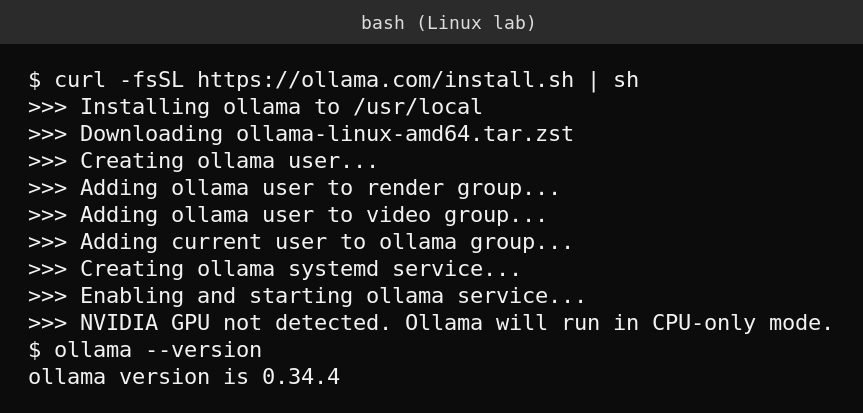
- On a Linux machine, run
curl -fsSL https://ollama.com/install.sh | sh. This installs Ollama as a systemd service and starts it automatically. - Confirm it is running with
systemctl is-active ollamaand check the version withollama --version. - Pull a small model to start, for example
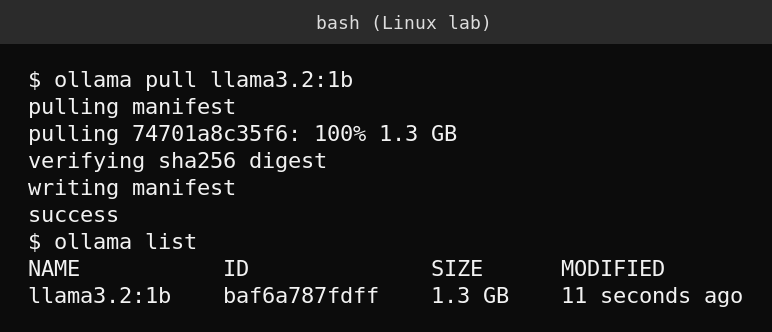
ollama pull llama3.2:1b, which downloads about 1.3 GB and needs only modest RAM. - Chat with it directly from the terminal with
ollama run llama3.2:1b, then type a prompt and press Enter. - To call it from a script or another application, use the local REST API on port 11434, for example
curl http://localhost:11434/api/generate -d '{"model":"llama3.2:1b","prompt":"your question","stream":false}'. - List installed models any time with
ollama list, and remove one you no longer need withollama rm modelnameto free disk space.
Picking a model that fits your hardware
Ollama’s model library covers a wide range of sizes, and the right one depends entirely on available RAM and whether you have a GPU. A rough guide: models in the 1B to 3B parameter range run comfortably on CPU with a few gigabytes of RAM and answer quickly, 7B to 8B models need considerably more memory and are noticeably slower without a GPU, and larger models are realistically a GPU only proposition. Start small, confirm the workflow, and size up only if the smaller model’s answers are not good enough for your use case.
Calling it like any other API
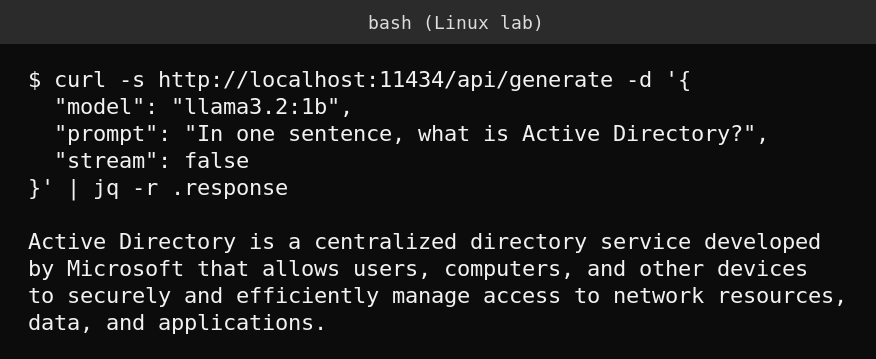
The interactive ollama run command is fine for testing, but the useful part for automation is the REST API Ollama exposes on localhost port 11434 by default. Any script, internal tool or web page on the same network can send a prompt and get a response back in JSON, without an internet connection or an external API account. This is exactly the pattern behind a self hosted AI assistant: a small model, a local API, and whatever interface you want to put in front of it.
curl http://localhost:11434/api/generate -d '{
  "model": "llama3.2:1b",
  "prompt": "In one sentence, what is Active Directory?",
  "stream": false
}'
What actually goes wrong
The most common disappointment is picking a model too large for the hardware and concluding “local AI is too slow to be useful,” when a smaller model would have answered in a second or two. The second most common issue is forgetting Ollama’s API is unauthenticated and bound to whatever address you configure, exposing it beyond localhost without a reverse proxy or firewall rule in front of it is a real risk if the machine is reachable from an untrusted network. Keep it bound to localhost, or put authentication in front of it, the moment it needs to be reachable from anywhere else.
FAQ
Do I need a GPU to run Ollama?
No. It runs on CPU only, as shown above. A GPU speeds up larger models significantly, but small models are usable on CPU alone.
Is my data sent anywhere when I use Ollama?
No, by default. The model runs entirely on the machine you installed it on, and prompts and responses never leave that machine unless you build something that sends them elsewhere.
Can I run more than one model at a time?
Yes, you can have multiple models pulled and switch between them by name in any request, though only actively used models are loaded into memory at once.
Sources
Ollama’s official installation documentation and API reference at ollama.com.