How to Create an Azure Budget and Cost Alert to Avoid Surprise Bills

A forgotten virtual machine or a test resource left running can turn a free Azure subscription into a surprise bill. An Azure budget with email alerts takes about three minutes to set up and warns you long before real money is spent.
Quick guide
- Open the Azure portal and search for Cost Management, then choose Budgets.
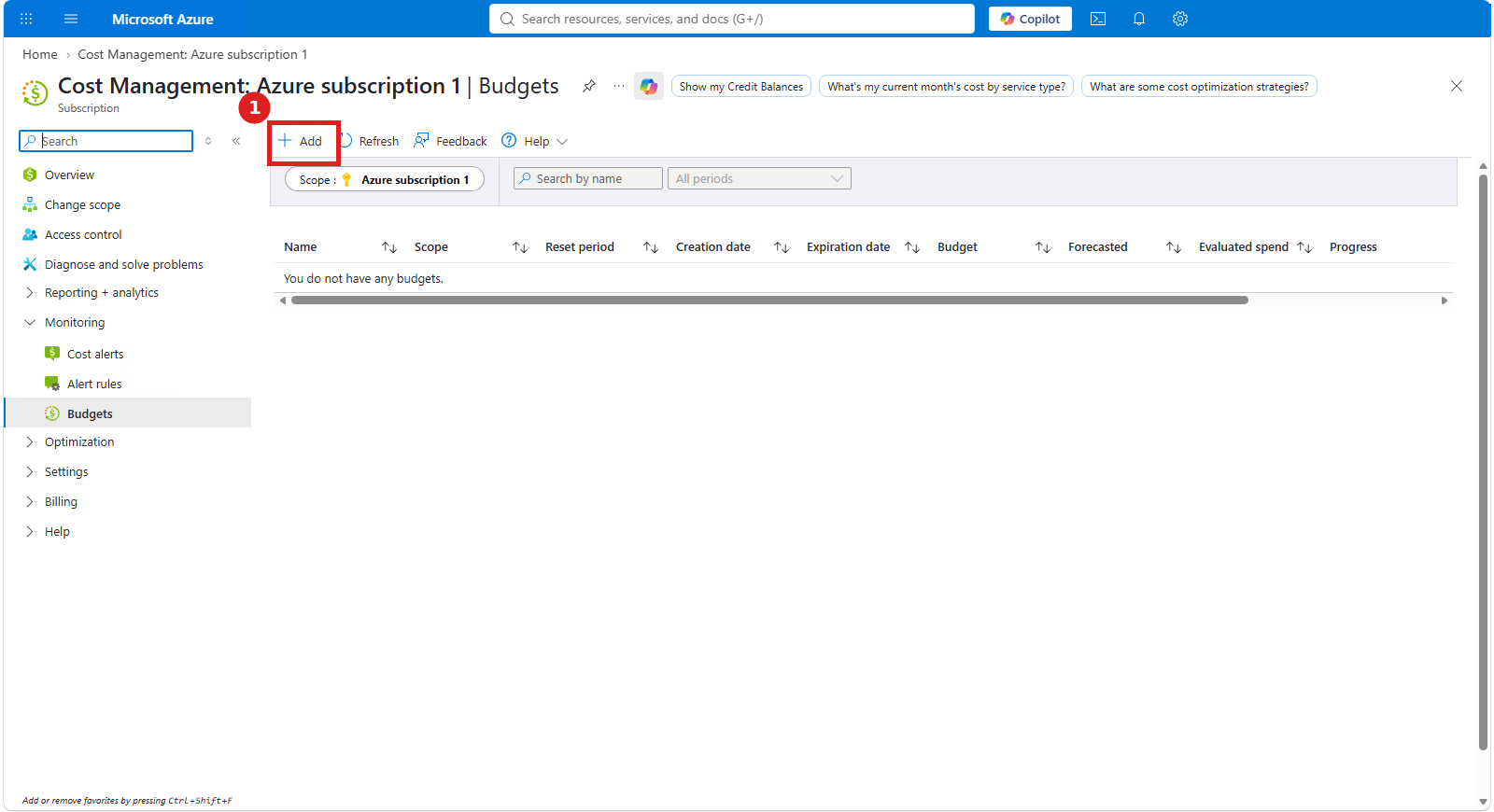
- Click Add.
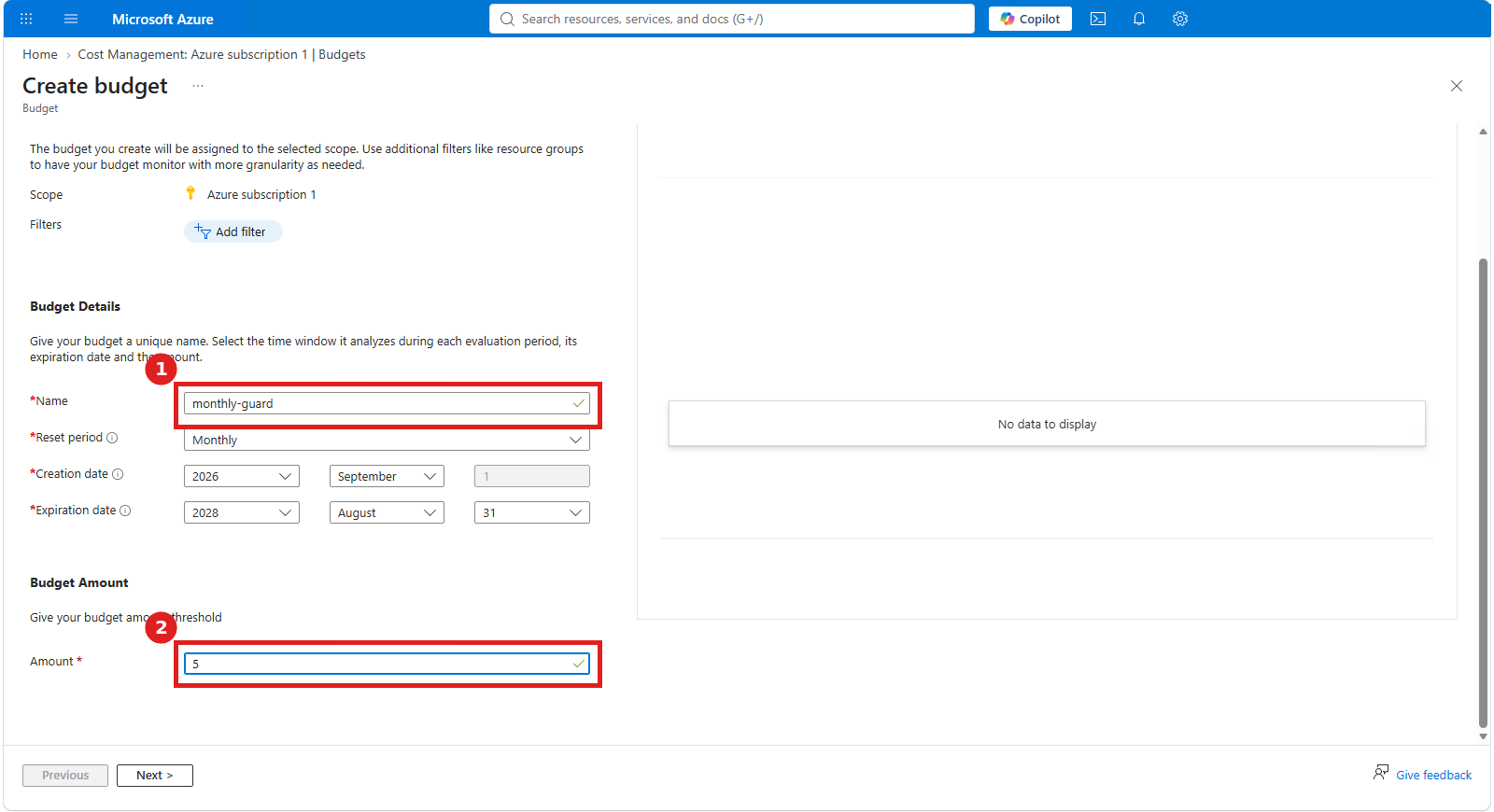
- Name the budget, set the reset period to Monthly, and enter your limit (for example 5).
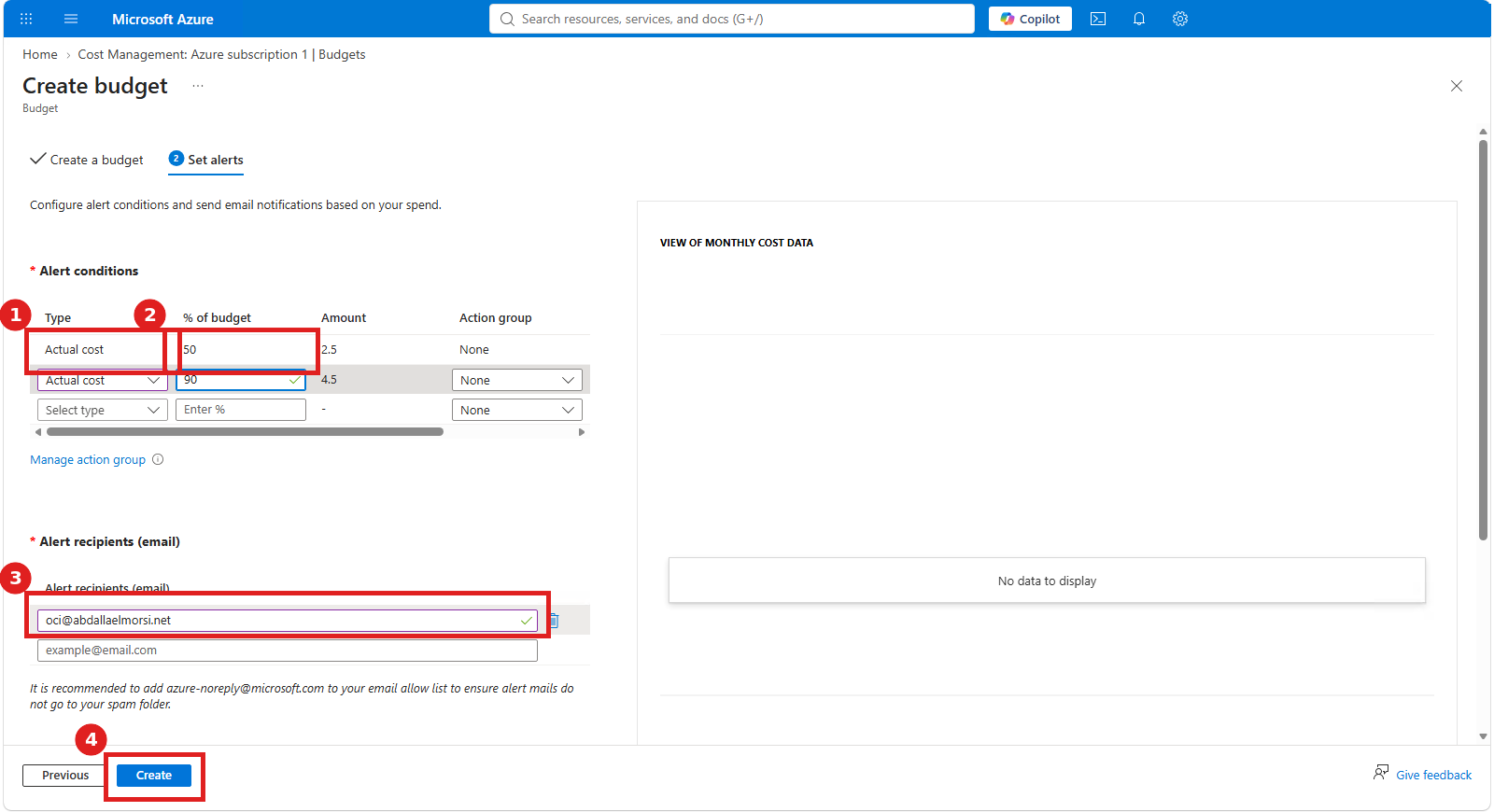
- Add alerts at 50% and 90% of the budget, and enter your email address.
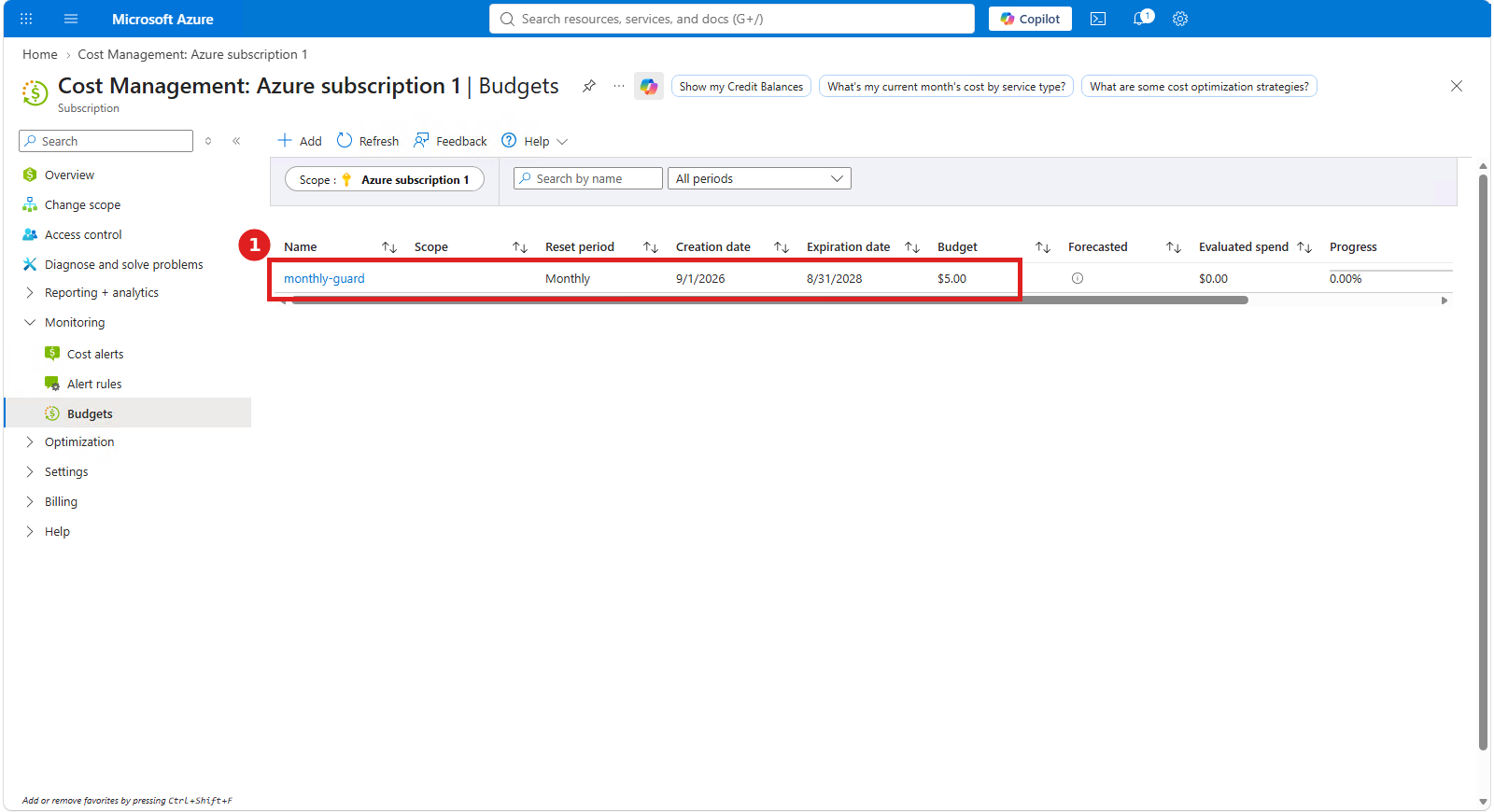
- Click Create. Your budget appears in the list.
Step 1: Open Budgets
In the portal search bar, type Cost Management and open it. In the left menu, under Monitoring, select Budgets. A new subscription shows “You do not have any budgets”. Click Add at the top.
Step 2: Name the budget and set the amount
Give the budget a clear name such as monthly-guard. Keep the reset period on Monthly so it starts fresh each month. Enter the amount you are comfortable spending. For a lab or free account, a small number like 5 works well. Click Next.
Step 3: Set alerts and recipients
Add two alert conditions with the type Actual cost. The first at 50% warns you at half the budget and the second at 90% warns you when you are close to the limit. Enter the email address that should receive the warnings, then click Create.
Step 4: Confirm it works
Back on the Budgets page you will see your new budget with its amount, period and current spend. It may take a short while for the spend figure to start updating.
Good to know
A budget sends alerts only. It does not stop or delete anything by itself. To act automatically when a threshold is reached, connect an action group. Cost data can also lag by several hours, so treat alerts as an early warning and still delete lab resources when you finish.
FAQ
Does an Azure budget stop my spending?
No. By default it only sends email alerts. You must stop or delete resources yourself, or attach an action group that automates a response.
What is the difference between Actual and Forecasted alerts?
Actual alerts fire when real charges reach the percentage. Forecasted alerts fire when Azure predicts you will reach it by the end of the period.
Is creating a budget free?
Yes. Budgets and cost alerts in Cost Management have no charge.
How many alerts can I add?
You can add several thresholds per budget. Two or three, such as 50%, 90% and 100%, are enough for most personal subscriptions.