SCOM 2025 Data Warehouse and SSRS Errors After a Fresh Install: Services That Never Start, Reports That Will Not Deploy

A fresh System Center Operations Manager (SCOM) 2025 install can look finished and still carry three stubborn errors: Data Warehouse failed to request a list of management packs from SQL RS server, Data Warehouse failed to deploy reports for a management pack to SQL Reporting Services Server, and Data Warehouse Job Status synchronization Grooming process failed to write data. I treated them as real faults in my lab and traced each one. The causes were not what the alert text suggests.
This is the follow-up to my SCOM 2025 alert tuning post. All names are neutral placeholders (management server SRV01, domain contoso.com, action account svc-act, data access and reporting account svc-das). All times are one server clock on one day.

Quick guide
- Check the services first. After a cold boot, confirm Health Service, Data Access, Management Configuration, SQL Server Agent and SQL Server Reporting Services are actually running.
- Test both Reporting Services URLs. The portal at
/Reportscan answer while the SOAP endpoint/ReportServerthat SCOM uses does not. - Read event 31567 in the Operations Manager log. If it says an extension is not allowed, set
AllowedResourceExtensionsForUploadto*.*. - Trace PowerShell script warnings to the named script and check whether the action account is a local administrator on the management server.
- Close stale alerts only after the cause is fixed, then watch for a recurrence.
Problem 1: after a cold start, most SCOM services were not running
Thirty minutes after the management server booted (boot 09:18:17, checked 09:50), these were all Stopped: Health Service, Data Access Service, Management Configuration service, SQL Server Agent and SQL Server Reporting Services. Only SQL Server was up. The System log explained it.
09:25:48  7000  The SQL Server Reporting Services service failed to start ... did not respond to the start or control request in a timely fashion.
09:25:48  7009  A timeout was reached (30000 milliseconds) while waiting for the System Center Management Configuration service to connect.
09:25:50  7009  A timeout was reached (30000 milliseconds) while waiting for the System Center Data Access Service service to connect.
09:25:51  7000  The SQL Server (MSSQLSERVER) service failed to start ...
09:33:23  7022  The SQL Server (MSSQLSERVER) service hung on starting.
09:29:19  153   The IO operation at logical block address ... for Disk 0 ... was retried.
A disk IO was retried warning plus 30-second service timeouts across unrelated products points at slow storage during the boot storm. My lab VM runs on slow disk. That is my reading of the evidence, not something I proved with a disk benchmark.
Starting the services by hand worked every time, in 9 to 58 seconds each: SQL Agent 9 s, Reporting Services 32 s, Health Service 58 s, Management Configuration 20 s, Data Access 19 s. The services were fine. Windows had given up waiting for them.
Fix: a longer service start timeout, plus delayed automatic start for the SCOM and reporting services so they do not all compete for disk at second zero. cshost is the Management Configuration service and OMSDK is the Data Access Service. The timeout change needs a reboot.
New-ItemProperty -Path 'HKLM:\SYSTEM\CurrentControlSet\Control' -Name ServicesPipeTimeout `
  -PropertyType DWord -Value 120000 -Force
foreach ($n in 'SQLSERVERAGENT','SQLServerReportingServices','HealthService','cshost','OMSDK') {
  sc.exe config $n start= delayed-auto
}
Test: I restarted the server at 11:20:30 and touched nothing. Everything came up on its own in about seven minutes.
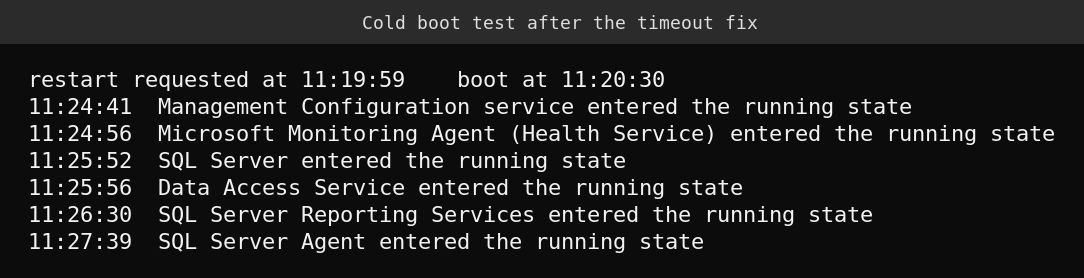
There were no Service Control Manager start-failure events for any of the six services. One boot is not a benchmark, and I did not test the timeout and the delayed start separately, so I cannot say which of the two did the work.
Problem 2: Reporting Services was Running but not answering
With the service up, http://localhost/Reports (the portal) answered 200 immediately, while http://localhost/ReportServer (the SOAP endpoint SCOM talks to) timed out after 120 seconds, twice in a row. The service log only repeated Catalog max connection pool size: 100 every ten seconds. SQL itself was healthy: the ReportServer database was ONLINE and its catalog held 147 items.
Restarting only the reporting service fixed it. The first request after a restart is slow because the service initialises on first use: ReportServer returned 200 after 90 seconds the first time and 28 seconds the second time.
Restart-Service SQLServerReportingServices -Force
Invoke-WebRequest http://localhost/ReportServer -UseDefaultCredentials -UseBasicParsing -TimeoutSec 400
The alert Data Warehouse failed to request a list of management packs from SQL RS server was gone at the 10:29 check, after the reporting service restart. I made other changes in that window (the action-account fix below and a Health Service restart), so I cannot isolate which one cleared it. It is consistent with Reporting Services not answering.
Problem 3: reports would not deploy (extension is not allowed)
Data Warehouse failed to deploy reports for a management pack is event 31567 in the Operations Manager log, and the text names the cause.
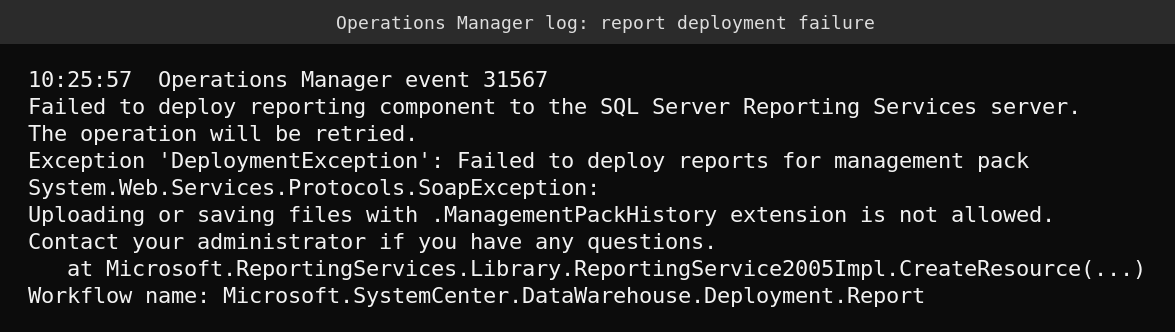
The same error came back on every ten-minute cycle with a different extension: .PerformanceBySystem at 10:15, .ManagementPackHistory at 10:25 and .CustomConfiguration at 10:36. The Reporting Services log shows the matching ResourceFileFormatNotAllowedException, with retries about every 50 seconds.
SCOM names its report resources with dots in the name, so Reporting Services sees a different file extension each time and checks it against the server property AllowedResourceExtensionsForUpload. Microsoft documents this exact failure in Operations Manager reports fail to deploy and its resolution is to add *.*. That article is written for SCOM 2019 with SSRS 2017, and my SCOM 2025 lab shows the same behavior. The detail that cost me about half an hour is the value:
- Setting it to
*was stored. I read it back from theConfigurationInfotable and through the API, and a service restart did not help. Deployment kept failing at 10:36, 10:47 and then every 50 seconds or so in the log. - Setting it to
*.*worked immediately. I set it at 10:57:35, and by 10:59 the log showsCreateResourceActioncalls for.rpdland.mpresources succeeding. No event 31567 appeared after 10:58, checked again at 11:18.
$p  = New-WebServiceProxy -Uri 'http://localhost/ReportServer/ReportService2010.asmx?wsdl' `
        -UseDefaultCredential -Namespace RS
$np = New-Object RS.Property
$np.Name  = 'AllowedResourceExtensionsForUpload'
$np.Value = '*.*'
$p.SetSystemProperties(@($np))
Reading the property back through the API with an empty property list returned nothing for me. Ask for it by name (create a Property with only Name set and pass that), or read it from ReportServer.dbo.ConfigurationInfo. The same property is in the Report Server properties dialog in SQL Server Management Studio under Advanced. I did not use SSMS here. Microsoft’s page also tells you to restart SSRS after changing it. In my lab the new value took effect without a restart, so restart if it does not.
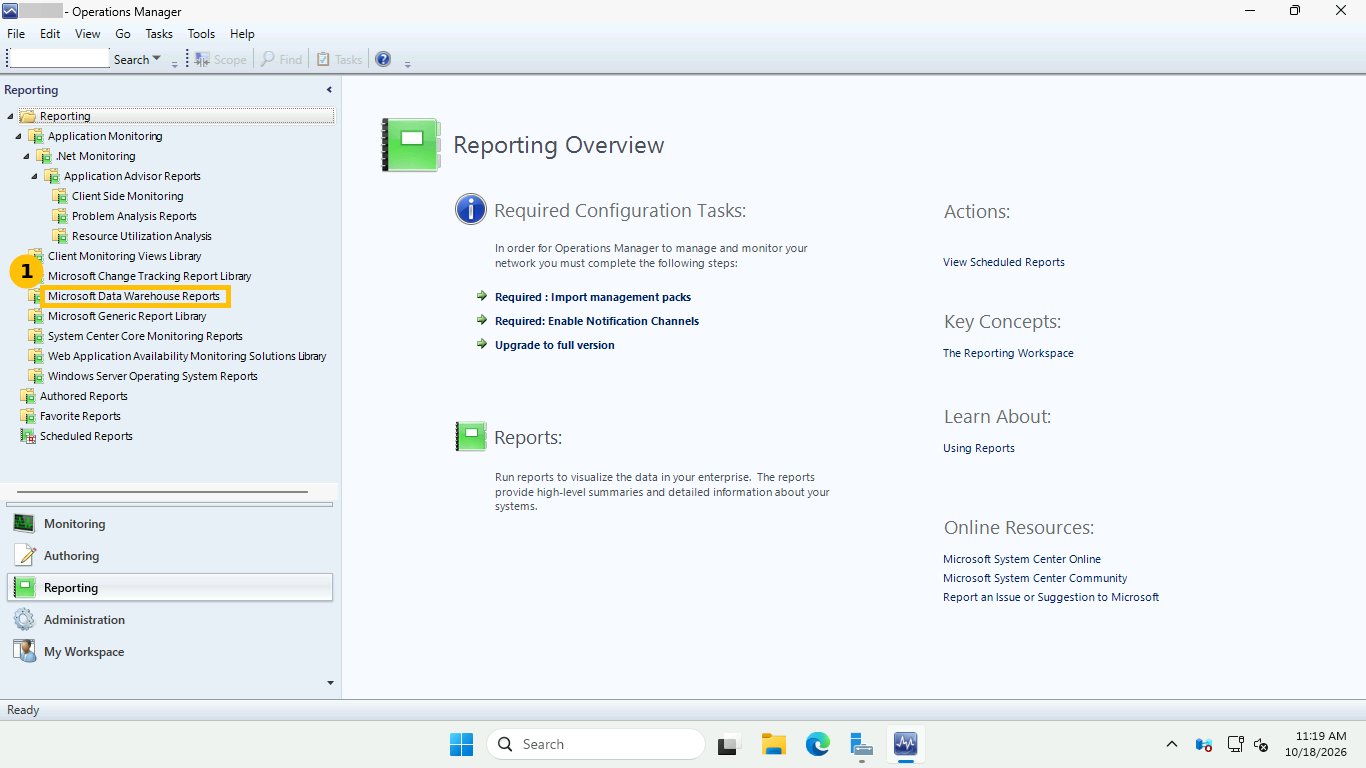
A sibling setting, RestrictedResourceMimeTypeForUpload, was text/html,application/xhtml+xml,image/svg+xml and I left it alone. The screenshot shows the Reporting workspace with the report libraries present afterwards.
Problem 4: the PowerShell script warnings and the access denied noise
The warning Power Shell Script failed to run (six of them in my earlier post) traced to a named script.
Script Name: DiscoverHealthServiceCommunicationRelationships.ps1
System.Management.Automation.RuntimeException: Requested registry access is not allowed.
Workflow name: Microsoft.SystemCenter.DiscoveryHealthServiceCommunication
Alongside it, event 10143 (In PerfDataSource, Initialization failed with error ‘Access is denied.’) fired 30 times in about 12 minutes. The cause that fits both is that the SCOM action account is a domain account and was not a member of the local Administrators group on the management server. The local group held the built-in administrator, Domain Admins and the data access account, but not the action account.
net localgroup Administrators CONTOSO\svc-act /add
Restart-Service HealthService -Force      # pick up the new group membership
Event 22406 (the script failure) last occurred at 10:02:38. After the Health Service restart at about 10:13 there were zero in the next 65 minutes (checked at 10:45, 11:08 and 11:18) and zero 10143 events. That is evidence the group change fixed it, not proof of the exact mechanism. I did not check which RunAs profile uses the account. I then closed the stale alerts (seven at 11:08:45, six PowerShell and one failed to start a process), and at 11:18 none had returned.
A note on least privilege: putting a service account in local Administrators is the quick fix that worked here. In production, check what the action account actually needs before you grant it that much.
Where this ended
| Before | After (11:18) | |
|---|---|---|
| Open alerts | 9 at 10:05, 11 at 10:30, 10 at 11:08 | 3 (after closing 7 stale ones at 11:08:45) |
| Report deployment failures (event 31567) | Every cycle | None since 10:58 |
| PowerShell script failures (event 22406) | 6 | None since 10:14 |
| Services after a cold boot | 5 stopped at 30 minutes | All running in 7 minutes |
What is still open (not solved)
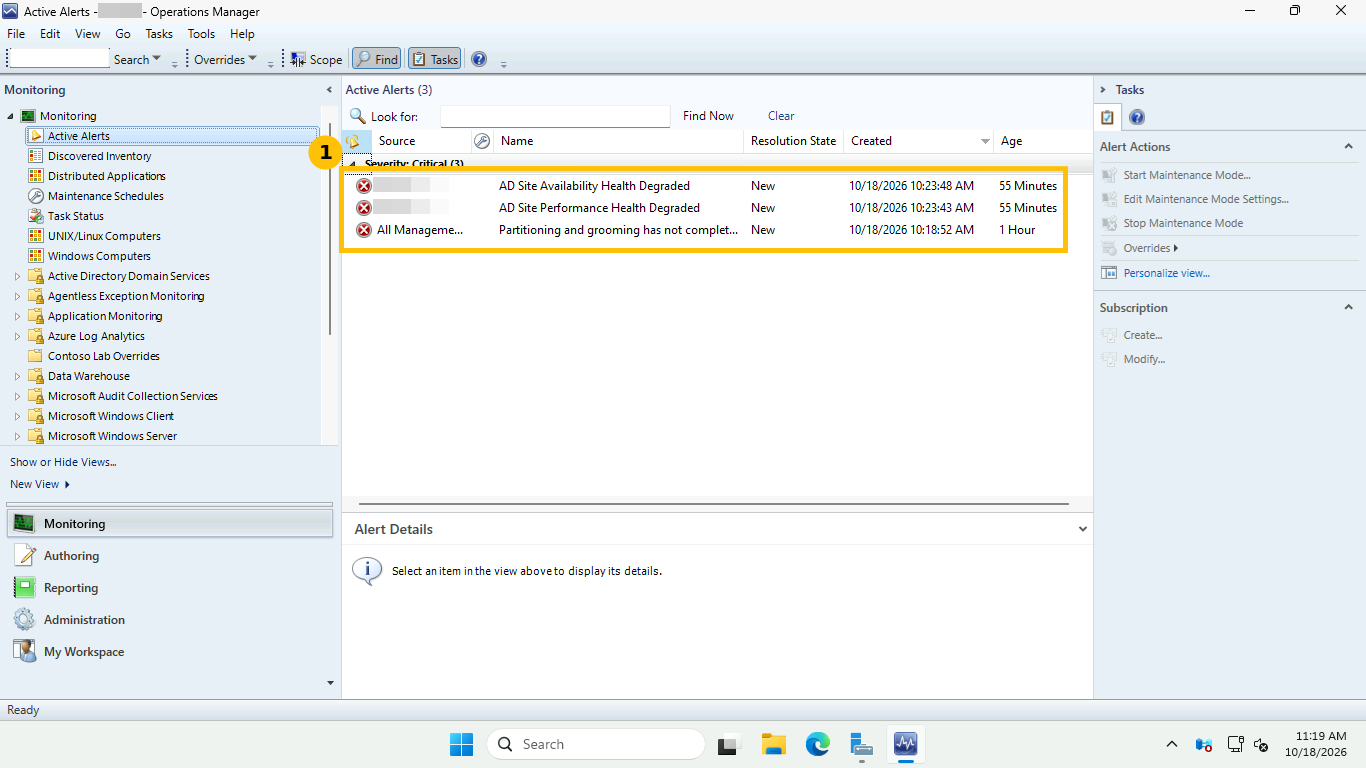
- AD Site Availability Health Degraded and AD Site Performance Health Degraded: “More than 60% of the DCs contained in this AD Site report a health problem.” They appeared at 10:23, after agent proxy was enabled earlier, so they are new real signal rather than noise. I did not trace which domain controller health monitor is unhappy.
- Partitioning and grooming has not completed recently (raised 10:18, Data Warehouse). Not traced. I would look at the data warehouse grooming jobs next.
What I could not verify
- The reboot test ran once, so it shows the fix works in one case and nothing about variance.
- I cannot separate the effect of the longer timeout from the delayed start.
- I did not check which RunAs profile uses the action account, so the exact mechanism of the script fix is inferred.
- The slow-disk explanation is my reading of the log, not a measurement.
FAQ
Why does Reporting Services show Running but SCOM still cannot deploy reports?
Running only means the process started. SCOM talks to the /ReportServer SOAP endpoint, which can hang after a start while the portal at /Reports answers normally. Test both URLs and allow for a slow first request. Mine took 90 seconds.
What does “Uploading or saving files with .X extension is not allowed” mean in SCOM?
Reporting Services rejects resource uploads whose extension is not in AllowedResourceExtensionsForUpload. SCOM report resources have dotted names, so the check fails with a different extension each time. Microsoft’s resolution is to allow *.*.
Should I set AllowedResourceExtensionsForUpload to a single asterisk?
In my lab a single * was stored and still did not work, while *.* worked immediately. Use *.*, which also matches Microsoft’s guidance.
Do SCOM services need delayed automatic start?
Not by design. In my lab, services timed out on a slow-disk cold boot. Delayed start plus a longer ServicesPipeTimeout fixed it in one test. On fast storage you may never need it.