Diagnosing a Group Policy That Will Not Apply: gpresult, RSoP and CSE Errors

A Group Policy setting that should apply but does not is one of the most common Active Directory tickets, and one of the fastest to diagnose once you stop guessing and let Windows tell you exactly what happened. Two built in tools, gpresult and the Resultant Set of Policy report, show precisely which GPOs applied, which were denied, and why.
Quick guide
- On the affected machine, open an elevated command prompt or PowerShell as the affected user, or use RunAs to test as them.
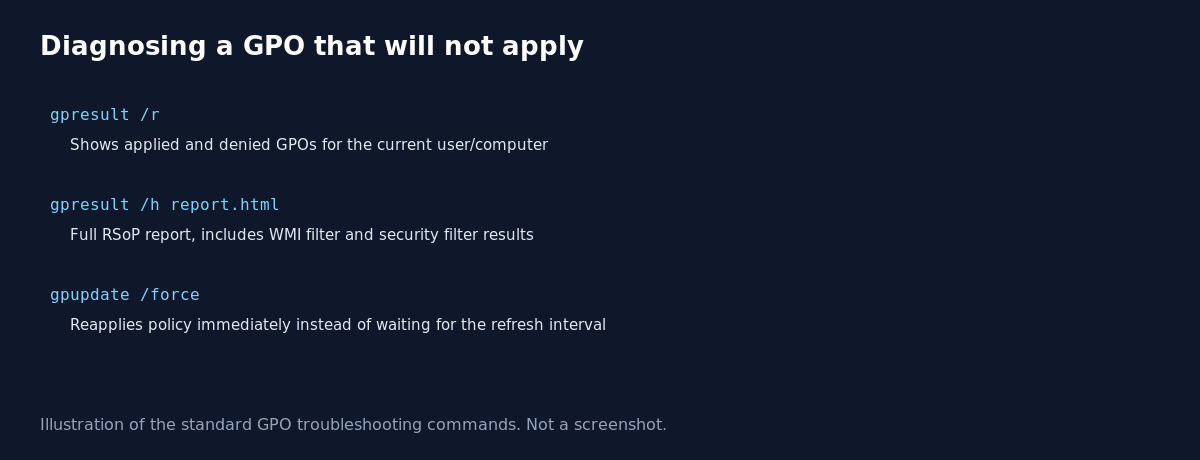
- Run
gpresult /rfor a quick summary of applied and denied Group Policy Objects for the current user and computer. - For full detail, run
gpresult /h report.htmland open the file in a browser. This is the Resultant Set of Policy report, and it shows security filtering, WMI filter results, and every setting actually applied. - Force an immediate policy refresh instead of waiting for the background interval with
gpupdate /force. - If a GPO shows as denied, check whether the target user or computer object is actually in the organizational unit the GPO links to, and whether they have Read and Apply Group Policy permissions on it.
- If a GPO shows as applied but the setting still does not take effect, check the Group Policy Operational event log for a Client Side Extension error, since the policy can apply while a specific setting type still fails to process.
Reading a gpresult /r summary
The quick summary lists the applied Group Policy Objects under a heading for the computer and again for the user, followed by a separate list of GPOs that were filtered out and not applied. For each denied GPO it names the reason, most commonly one of these:
- Empty: the GPO has no settings configured in the relevant computer or user half, so there is nothing to apply.
- Disabled: the computer configuration or user configuration section of the GPO itself has been turned off.
- Security Filtering: the target account or computer does not have the Apply Group Policy permission on that GPO, usually because it is not in the security filter group.
- WMI Filter: the target did not match the WMI filter query attached to the GPO.
The full RSoP report
gpresult /h report.html produces a much more detailed HTML report covering every setting that was actually applied, the precedence order of GPOs, and the specific link, security filter and WMI filter status for each one. This is the tool to reach for when the quick summary shows a GPO as applied but the actual setting still is not taking effect on the machine, since it breaks the result down setting by setting rather than GPO by GPO.
Client Side Extension failures
A GPO can show as fully applied in gpresult while one specific setting inside it still fails, because each category of setting (security options, registry, software installation, scripts, and so on) is processed by its own Client Side Extension (CSE). When a CSE fails, it logs an error in the Group Policy Operational event log under Applications and Services Logs, Microsoft, Windows, GroupPolicy, Operational, with the specific extension GUID and an error code, which is the next place to look once gpresult confirms the GPO link itself is fine.
What actually goes wrong
The most common real world cause is not a broken GPO at all, it is an object sitting in the wrong OU, or a recent OU move that never got followed up with a policy refresh. Admins spend an hour digging through GPO settings when gpresult /r would have shown in ten seconds that the computer object simply is not in the OU the policy links to. Always confirm the object’s actual location and security group membership before assuming the GPO configuration itself is at fault.
FAQ
Do I need to reboot after gpupdate /force?
Most policy settings apply without a reboot, but a small number, mainly software installation and some security settings, require a restart or logoff to fully take effect. Gpresult will still show the GPO as applied even if the specific setting needs a reboot to activate.
Can I run gpresult against a remote computer?
Yes, with the /s computername parameter, provided you have the right permissions and remote access is not blocked by firewall rules.
Why does gpresult show a GPO as denied even though it is linked to the right OU?
Check security filtering first. By default a GPO only applies to Authenticated Users unless you have customized the security filter, and removing or restricting that filter without adding back the specific group is the most common cause of an otherwise correctly linked GPO not applying.
Sources
Microsoft Learn documentation for the gpresult command and Group Policy troubleshooting with the Group Policy Operational event log.