

AWS App Mesh Shuts Down on September 30, 2026: How to Find What Still Depends on It

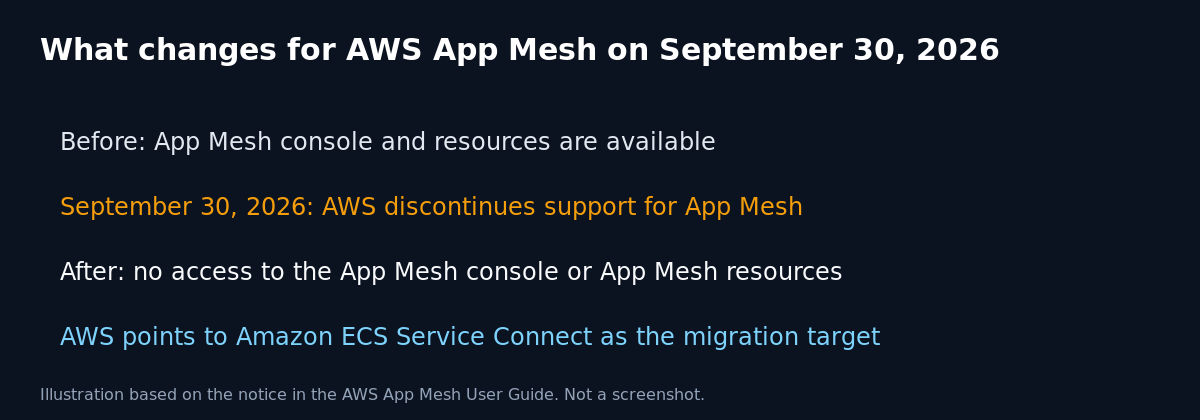
The AWS App Mesh User Guide now opens with an end of support notice. On September 30, 2026, AWS discontinues support for App Mesh, and after that date you can no longer access the App Mesh console or App Mesh resources. If any service of yours still routes traffic through an App Mesh Envoy sidecar, the clock is very short.
Quick guide
- List every region where you might have used App Mesh. Then run
aws appmesh list-meshes --region REGIONin each one. An empty list means you have nothing to migrate there. - For each mesh returned, run
aws appmesh list-virtual-services --mesh-name NAMEandaws appmesh list-virtual-nodes --mesh-name NAME. These are the services and workloads that depend on the mesh. - Check your ECS task definitions. Run
aws ecs describe-task-definition --task-definition NAME --query "taskDefinition.proxyConfiguration". A proxy configuration of typeAPPMESHmeans the task uses the mesh. - On EKS, check whether the App Mesh controller is installed with
kubectl get crd | grep appmesh. If it prints results, list the resources withkubectl get virtualnodes,virtualservices -A. - Pick the target. For ECS workloads, AWS points to Amazon ECS Service Connect, and it published a blog post on migrating from App Mesh to it. For Kubernetes workloads, choose another mesh or a Gateway API based option you can operate.
- Migrate service by service, test, then remove the App Mesh resources and the Envoy sidecars.
What AWS says
The App Mesh User Guide carries an important notice on its first page. It says that on September 30, 2026 AWS will discontinue support for AWS App Mesh, and that afterwards you will no longer be able to access the console or the resources. It links to an AWS blog post titled “Migrating from AWS App Mesh to Amazon ECS Service Connect”. That is the migration guidance to follow first. Read the notice in the AWS documentation, because AWS may update its details.
Where App Mesh hides in real environments
- ECS services with an Envoy sidecar: the task definition has a proxy configuration and an Envoy container.
- EKS workloads using the App Mesh controller: custom resources such as virtual nodes and virtual services are stored in the cluster.
- Old proof of concept meshes: a mesh created years ago for a test that nobody deleted. They cost little but they still show up in inventories.
- Infrastructure as code: CloudFormation or Terraform modules that still declare mesh resources. Removing the resources from the state before the service disappears avoids messy failures.
What actually goes wrong
The mesh is not a background detail. Envoy sidecars enforce routing, retries and timeouts between services. When the control plane goes away, running sidecars may keep their last configuration for a while, but you should not count on that. You lose the ability to change routes, and new tasks or pods may not come up cleanly. The failures usually appear during a deploy or a scale event, and not at the moment of the shutdown, which makes them hard to connect to the cause.
A safe migration order
- Inventory first: the commands above give you a list. Put it in a spreadsheet with an owner for each service.
- Freeze changes to the mesh: stop adding new virtual nodes while you plan.
- Move the least critical service first: use it to learn the new setup and its metrics.
- Compare behaviour: watch latency, error rates and retries before and after, because Service Connect configures timeouts and retries differently from an App Mesh route.
- Clean up: delete the mesh resources and IAM permissions that no longer serve a purpose.
FAQ
Is there a deadline extension?
The AWS documentation shows September 30, 2026 as the date. Check the current App Mesh page and your AWS account team for any change.
Do I have to use ECS Service Connect?
No. It is the option AWS points to for ECS. If you run Kubernetes you can choose another service mesh or a different approach for traffic management.
Will my data be deleted?
App Mesh holds configuration, not application data. Export the configuration you need, such as route definitions, before the console goes away so you can rebuild the same behaviour elsewhere.
Sources
AWS App Mesh User Guide, “What Is AWS App Mesh?” end of support notice.